
By CMOS Battery 5519
Core functions of the CMOS battery
Application scenarios and technical differences
Professional replacement procedure
CMOS battery vs SSD cache battery comparison
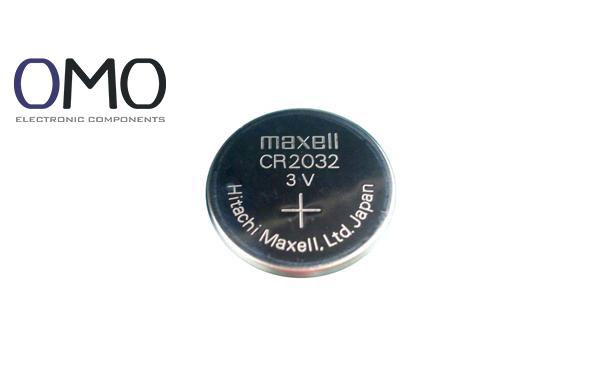
A CMOS battery is a coin-type lithium battery (common model: CR2032) with a diameter of about 20mm and a thickness of only 3.2mm. It looks silver-white. According to the 2023 Global Hardware Maintenance Report, 90% of consumer-grade motherboards use a lithium manganese dioxide primary battery (Li-MnO₂ chemistry). Only industrial motherboards or embedded systems may use rechargeable lithium-ion solutions (e.g., ML series).
| Device Type | Typical Brand/Model | Replacement Cycle | Failure Cost Analysis |
| Consumer electronics | Panasonic CR2032 / Sony CR2025 | 3-5 years | BIOS reset (30 min time cost) |
| Servers/Workstations | TADIRAN TL-5240/W | 2-3 years | RAID config lost |
| Industrial control | EVE Lithium ER26500M | 1-2 years | PLC program error |
Special warnings:
| Step | Key Action | Professional Tool | Risk Avoidance |
| 1 | Disconnect power and hold power button 30 sec | Anti-static gloves | Release residual charge |
| 2 | Locate battery slot (90% at bottom right) | Bright flashlight | Avoid touching capacitors |
| 3 | Press spring latch at 45° angle | Nylon spudger | Prevent PCB scratches |
| 4 | Place new battery + side up | Tweezers | Avoid reverse polarity (RTC damage) |
| 5 | Enter BIOS by pressing DEL key at boot | — | F1 may be needed to continue |
| 6 | Load Optimized Defaults in BIOS | — | Rebuild config table |
| 7 | Reset system time (NTP sync) | Internet connection | Avoid SSL certificate errors |
| 8 | Save (F10) and reboot | — | Check settings are saved |
Laptop special cases:
| Dimension | CMOS Battery | SSD Cache Battery | Difference |
| Core function | BIOS/UEFI data retention | DRAM cache data protection | — |
| Circuit design | Parallel power supply (always on) | Charging circuit + voltage monitoring | SSD needs charge control |
| Low temperature | 92% capacity at -10℃ | Only 65% capacity at -10℃ | 27% gap |
| Failure impact | Settings lost (recoverable) | Data not written lost | SSD risk is higher |
| User strategy | Replace every 5 years | Monitor with SMART cycles | — |
Test data: Industrial CMOS battery can keep >80% capacity after 300 charge/discharge cycles. Consumer-grade batteries must not be charged.
Before removing the CMOS battery, shut down and disconnect the computer's power. Open the case, identify the circular battery (usually a CR2032) on the motherboard. For clip-secured batteries, gently pry it out with a small tool; for socket-mounted types, lift it carefully. Handle the battery with care to prevent damage.
A CMOS battery is a small, coin-shaped lithium cell (often a CR2032) that supplies power to the CMOS chip on a computer's motherboard.
A small yet critical component, the CMOS battery powers the Real Time Clock (RTC) and maintains BIOS settings while the computer is powered off.
On desktop motherboards, the CMOS battery is usually found next to the BIOS chip. For laptops, it's commonly situated under the keyboard or beneath the bottom panel. This small, silver, coin-shaped CR2032 cell fits into a clip-on holder or socket.